“Right on time, no stress.”
Reminders with time to spare. Byrthday reminds you a week before, the day before and on the day. If you like, it keeps at it on the day until you tap “Done”.
Byrthday nudges you ahead of birthdays, anniversaries and your own occasions. Tap the reminder and the right greeting is already open: pick it, make it yours, send it on WhatsApp.
Coming soon to the App Store and Google Play

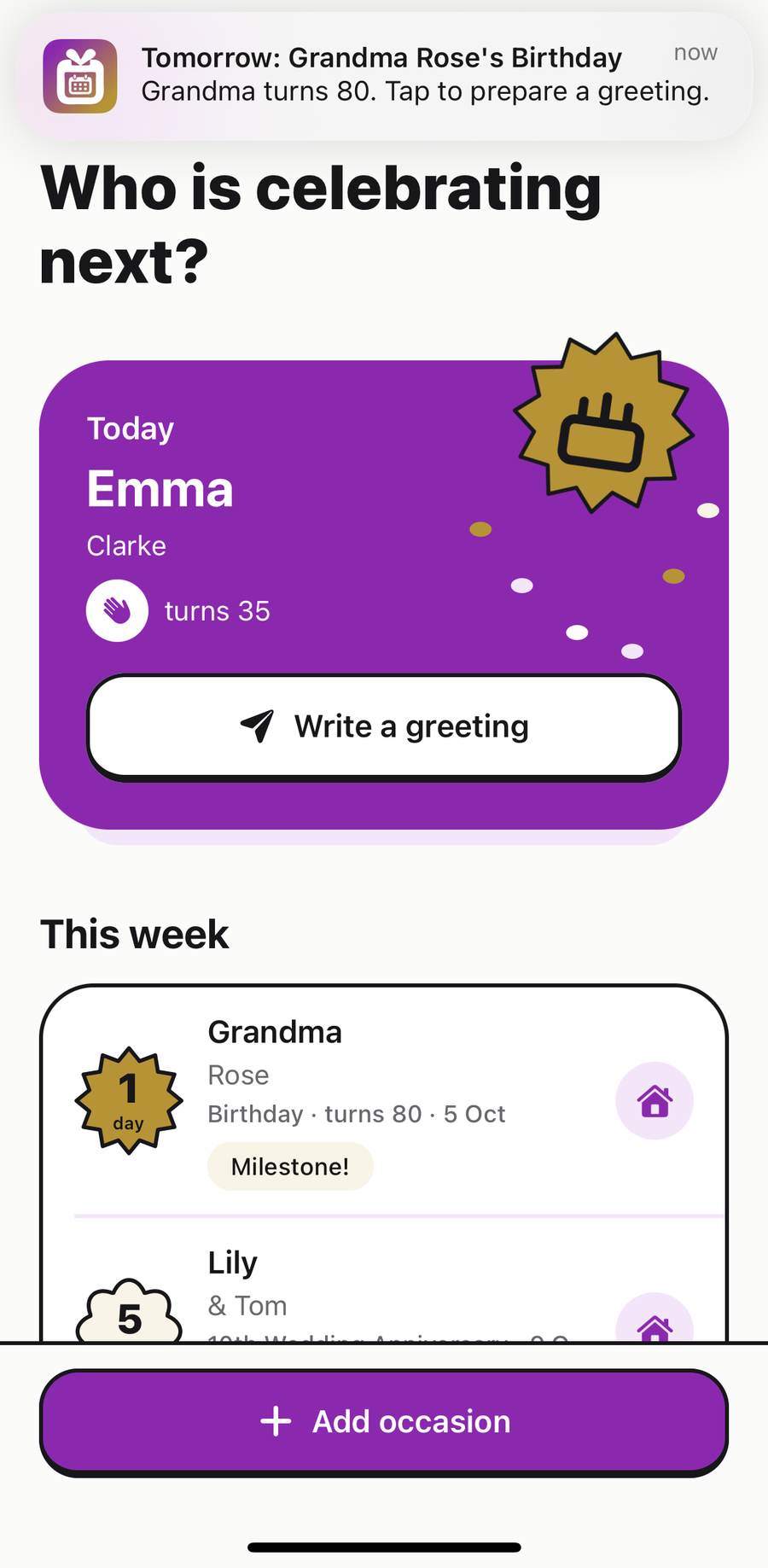
Reminders with time to spare. Byrthday reminds you a week before, the day before and on the day. If you like, it keeps at it on the day until you tap “Done”.
The words are ready. Free templates to suit the relationship, warm, funny or formal, with the age or anniversary already filled in. And if you like, AI writes a personal text.
Tap the reminder and you land on the right occasion, greeting ready.
In time, with the name and the occasion. One tap opens the right greeting.
Start with a free template: warm, funny or formal. Edit it, try another or choose an optional AI text.

Share it on WhatsApp or any other app, or copy it. You always press send yourself. Then tap “Done” and the reminders for that occasion stop.
You choose when Byrthday speaks up and whether it keeps at it on the day, for all occasions or each one on its own.
The countdown sticker shows at a glance how much time is left – no reading needed.
Whether and when a reminder appears depends on your device’s notification and battery settings.

No account, no sign-up, no cloud. Your occasions live only on your device, and we have no access to them.
This website uses no cookies and no analytics either.All details in the privacy policy
Remembering and sending wishes cost nothing – not today and not later.
€0Free
Price to followPlanned
Nothing. Reminders, every template and sharing are free and unlimited, plus 5 AI texts per device. Byrthday Plus is planned for unlimited AI texts; prices are not set yet.
No. There is no sign-up; you give us neither your name nor an email address.
Byrthday reads birthdays and anniversaries from your contacts only if you allow it, and you choose what gets imported. None of it leaves your device.
If you choose, AI (OpenAI, via our server) writes a personal greeting from the first name, occasion, tone, relationship and your keywords. You can edit it before sharing. Free templates are always the first choice.
Yes. Reminders and templates work completely offline. Only AI texts need a connection.
Your occasions live on the device and are part of its regular backup. Restore your new phone from that backup and they are back.
The current version shows no ads. If the free version gets small banners in the future, they will never get between the reminder and the greeting. The planned Byrthday Plus will be ad-free.
The app, templates, reminders and AI texts are all in English and German. Byrthday follows your device language, and you can change it in the app.
We are preparing the launch on the App Store and Google Play. As soon as the app is available, you will find the links right here.
Byrthday reminds you in time – and the greeting is sent in seconds.
Coming soon to the App Store and Google Play